
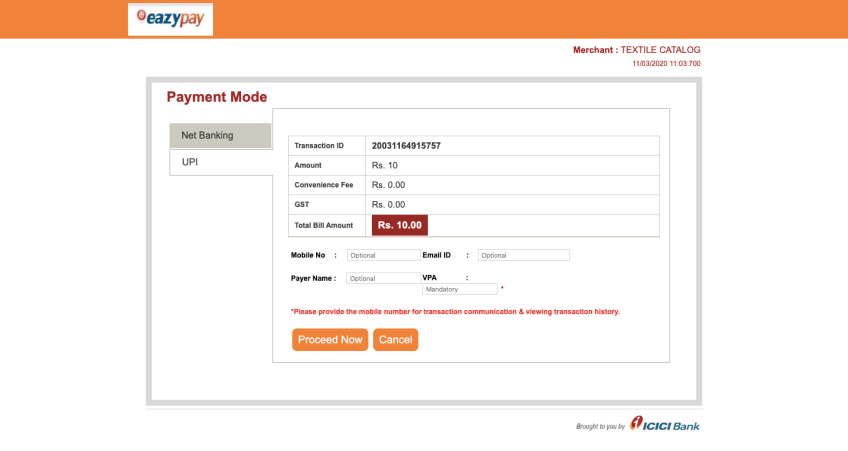
Eazypay icici bank payment gateway

Aneh Thakur
·3 min read
In this tutorial, I will explain to you how we can integrate ICICI bank Eazypay payment gateway into our PHP web application. Eazypay payment gateway is created by ICICI bank which helps you to pay your bills conveniently, be it your education, housing society maintenance or any other bills. You can pay your bills using Cash Deposit, Cheque Deposit, RTGS, NEFT, Net Banking or Cards.
Prerequisites
You need to have EazyPay Account before integration in your web application.
Once you have successfully registered your account on Eazypay you will get your account detail via your registration email address. You need to encrypt your data with a key that they provide you in email and open that link in your browser. Now you need to pass some required parameter in URL to open eazypay payment gateway.
Here is a list of the parameter which is required when we request for payment.
Parameter | Description | Mandatory |
|---|---|---|
Default URL | Yes | |
Merchant ID | 100011 | Yes |
Merchant Reference No | Yes | |
Reference No | 8001 | Yes |
Sub Merchant Id | 1234 | Yes |
Transaction Amount | 80 | Yes |
Encryption key | Yes | |
Paymode | 9 | Yes |
Return URL | Yes | |
Optional Field | No |
Before encryption:-
https://eazypay.icicibank.com/EazyPG?merchantid=100011&mandatory fields=8001|1234|80| 9000000001&optional fields=20|20|20|20&returnurl= http://abc.com/cbc/action.aspx&Reference No=8001&submerchantid=1234&transaction amount=80&paymode=9
After encryption:-
https://eazypay.icicibank.com/EazyPG?merchantid=100011&mandatory fields=u65A+ywICIypfrJVQp9ED2VlkBzkIimiHhLXPyo2P14=&optional fields=faJ6BJUlOqjoV/AEbw5X4g==&returnurl=6WvzNalyXvqOX+aY9ee5oKm8FT+YUF5sz940o6QZvx0=&Reference No=X7VX+1ZnKq+o6K2QWCTERQ==&submerchantid=QVZkBomDLSbitS4C9lGaUA==&transaction amount=aTRTaIdS0sLyzGCxL3Y5dQ==&paymode=nFRjDWSCg0m80aUYivDlqw==
You can use below function to encrypt your data and set that encrypted data in your URL.
private function aes128Encrypt($str, $key){
	$block = mcrypt_get_block_size('rijndael_128', 'ecb');
	$pad = $block - (strlen($str) % $block);
	$str .= str_repeat(chr($pad), $pad);
	return base64_encode(mcrypt_encrypt(MCRYPT_RIJNDAEL_128, $key, $str, MCRYPT_MODE_ECB));
}
You use the below code to generate a link.
<?php
   $default_url = "https://eazypay.icicibank.com/EazyPG?";
   $merchant_id = KEY_IN_MAIL;
   $encryption_key = KEY_IN_MAIL;
   $sub_merchant_id = 15;
   $merchant_reference_no = KEY_IN_MAIL;
   $paymode = 9;
   $return_url = $return;
   $amount = 10;
   $reference_no = rand();
   $optionalField = null;
   $encrypt_value = $reference_no.'|'.$sub_merchant_id.'|'.$amount;

   $mandatoryField = $this->aes128Encrypt($encrypt_value, $encryption_key);
   $optionalField    =   $this->aes128Encrypt($optionalField, $encryption_key);
   $amount           =	  $this->aes128Encrypt($amount, $encryption_key);
   $reference_no     =   $this->aes128Encrypt($reference_no, $encryption_key);
   $return_url       =   $this->aes128Encrypt($return_url, $encryption_key);
   $sub_merchant_id  =   $this->aes128Encrypt($sub_merchant_id, $encryption_key);
   $paymode          =   $this->aes128Encrypt($paymode, $encryption_key);

   $url = $default_url."merchantid=".$merchant_id."&mandatory fields=".$mandatoryField."&optional fields=".$optionalField."&returnurl=".$return_url."&Reference No=".$reference_no."&submerchantid=".$sub_merchant_id."&transaction amount=".$amount."&paymode=".$paymode;
Or if you like OOPS you can use this class.
Eazypay ICICI
class Eazypay
{
    public $merchant_id;
    public $encryption_key;
    public $sub_merchant_id;
    public $reference_no;
    public $paymode;
    public $return_url;

    const DEFAULT_BASE_URL = 'https://eazypay.icicibank.com/EazyPG?';

    public function __construct()
    {
        $this->merchant_id              =    'KEY_MAIL';
        $this->encryption_key           =    'KEY_MAIL';
        $this->sub_merchant_id          =    'KEY_MAIL';
        $this->merchant_reference_no    =    'KEY_MAIL';
        $this->paymode                  =    '9';
        $this->return_url               =    'YOUR_RETURN_URL';
    }

    public function getPaymentUrl($amount, $reference_no, $optionalField=null)
    {
        $mandatoryField   =    $this->getMandatoryField($amount, $reference_no);
        $optionalField    =    $this->getOptionalField($optionalField);
        $amount           =    $this->getAmount($amount);
        $reference_no     =    $this->getReferenceNo($reference_no);

        $paymentUrl = $this->generatePaymentUrl($mandatoryField, $optionalField, $amount, $reference_no);
        return $paymentUrl;
        // return redirect()->to($paymentUrl);
    }

    protected function generatePaymentUrl($mandatoryField, $optionalField, $amount, $reference_no)
    {
        $encryptedUrl = self::DEFAULT_BASE_URL."merchantid=".$this->merchant_id."&mandatory fields=".$mandatoryField."&optional fields=".$optionalField."&returnurl=".$this->getReturnUrl()."&Reference No=".$reference_no."&submerchantid=".$this->getSubMerchantId()."&transaction amount=".$amount."&paymode=".$this->getPaymode();

        return $encryptedUrl;
    }

    protected function getMandatoryField($amount, $reference_no)
    {
        return $this->getEncryptValue($reference_no.'|'.$this->sub_merchant_id.'|'.$amount);
    }

    // optional field must be seperated with | eg. (20|20|20|20)
    protected function getOptionalField($optionalField=null)
    {
        if (!is_null($optionalField)) {
            return $this->getEncryptValue($optionalField);
        }
        return null;
    }

    protected function getAmount($amount)
    {
        return $this->getEncryptValue($amount);
    }

    protected function getReturnUrl()
    {
        return $this->getEncryptValue($this->return_url);
    }

    protected function getReferenceNo($reference_no)
    {
        return $this->getEncryptValue($reference_no);
    }

    protected function getSubMerchantId()
    {
        return $this->getEncryptValue($this->sub_merchant_id);
    }

    protected function getPaymode()
    {
        return $this->getEncryptValue($this->paymode);
    }

    // use @ to avoid php warning php

    protected function getEncryptValue($str)
    {
        $block = @mcrypt_get_block_size('rijndael_128', 'ecb');
        $pad = $block - (strlen($str) % $block);
        $str .= str_repeat(chr($pad), $pad);
        return base64_encode(@mcrypt_encrypt(MCRYPT_RIJNDAEL_128, $this->encryption_key, $str, MCRYPT_MODE_ECB));
    }

}
And after adding this class you can call this
  $amount = 11;
  $reference_no = rand();
  // call The method
  $base=new Eazypay();
  $url=$base->getPaymentUrl($amount, $reference_no, $optionalField=null);
Once you have URL now you can perform click action on your URL and redirect it to Eazypay ICICI website using the below code.
<h4>Redirecting</h4>
<a id="redirect" href="<?=$url?>">If not redirect click here.</a>
<script>
document.getElementById("redirect").click();
</script>
Hope you like this post please don’t forget to subscribe my youtube channel link on top of the page.